Get the most out of your closet
Kindklos takes about five minutes to set up and one tap a day to use. Here's the whole loop — from your first item to a growing closet score. The app walks you through the basics on first launch, too.
Add your first items
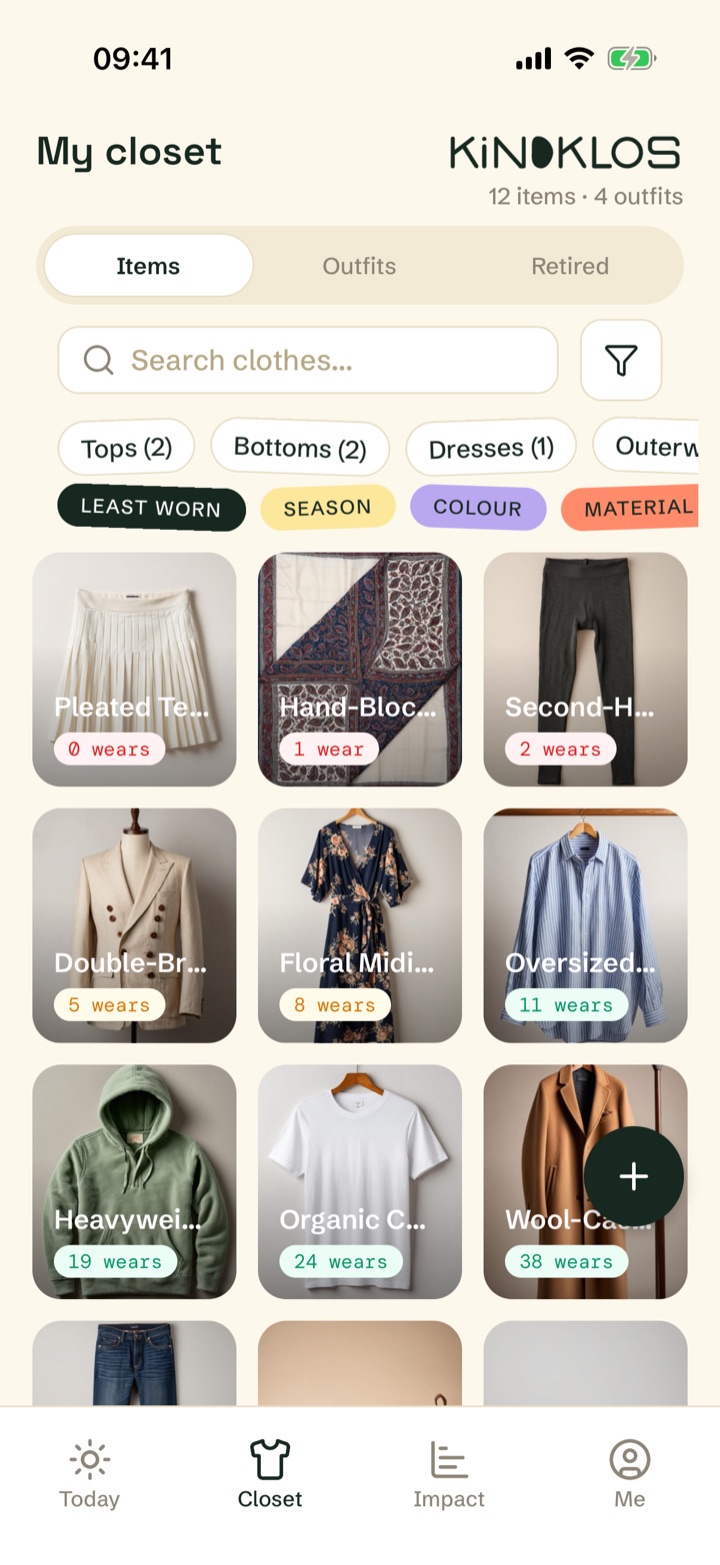
Open the Closet tab and tap the + button. Snap a photo or pick one from your gallery, give the item a name, and choose a category. Adding the price is optional, but it's what powers cost‑per‑wear.
Don't catalogue everything on day one. Start with the ten or so pieces you actually reach for, and add the rest as you wear them.
Log what you wear
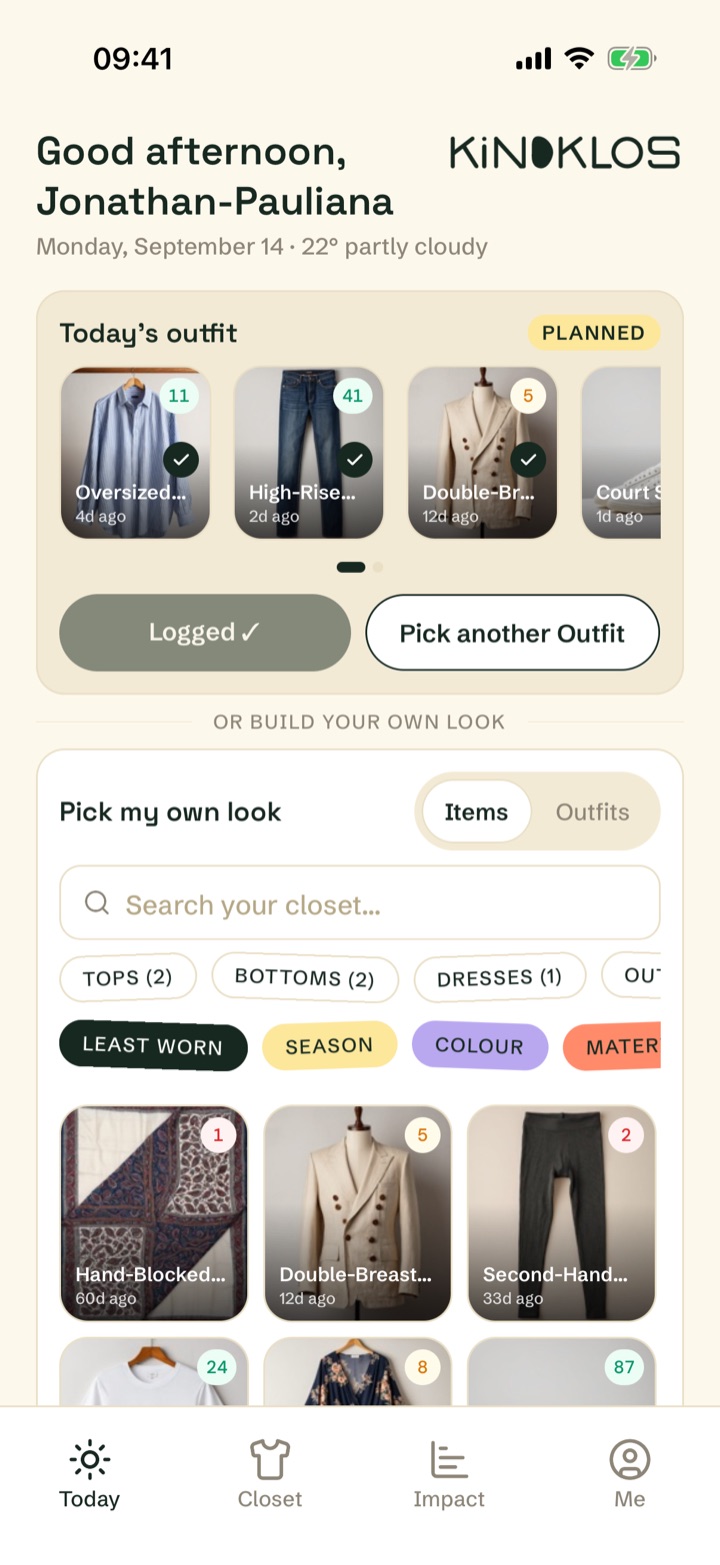
Every morning the Today tab greets you with one suggested outfit, built from your least-worn pieces. Tap Log outfit to record it, or Pick another Outfit for a different suggestion.
Prefer to decide yourself? Pick my own look lets you build the day's outfit, with filters for least-worn, season, and colour. One tap a day keeps your streak alive.
See the story behind each piece
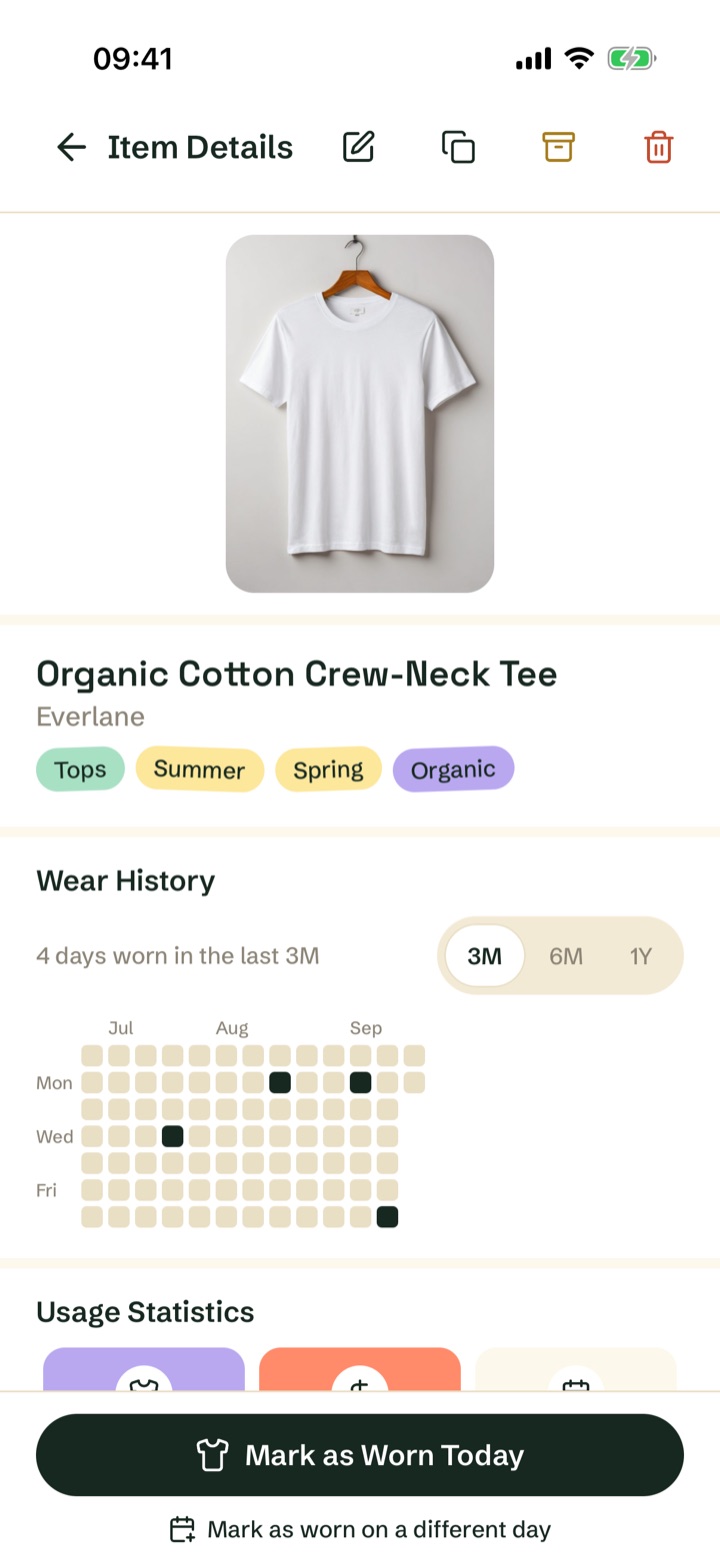
Tap any item to see the numbers behind it: how often you've worn it, its cost per wear, and when you last wore it. From here you can Mark as Worn Today, drop it in the Laundry basket, edit its details, or archive pieces you've moved on from.
Save your favourite combinations
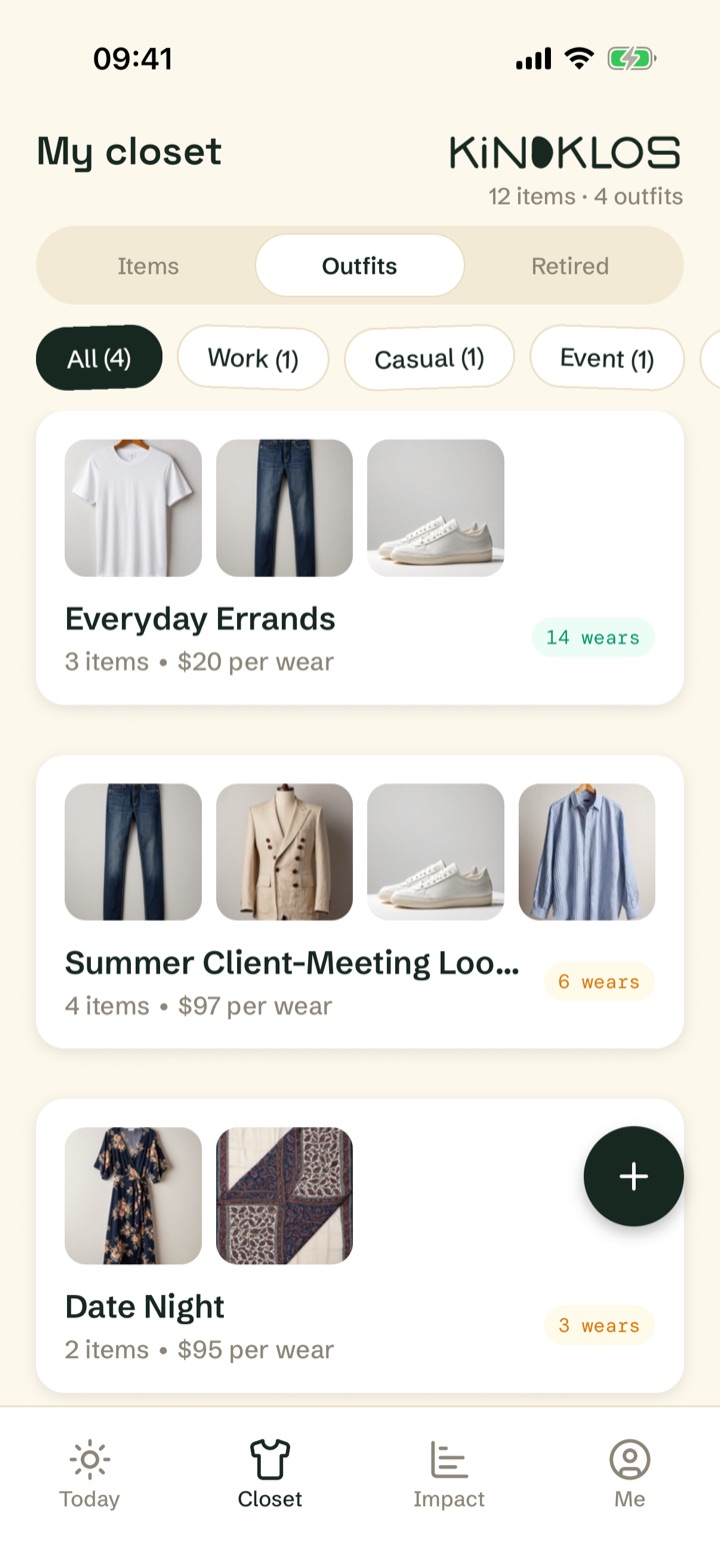
In the Closet tab, switch to Outfits and tap + to combine items into a look — everyday errands, gym, date night. Each outfit shows its own wear count and combined cost per wear, and saved outfits are ready to log from Today in one tap.
Plan ahead for the big days
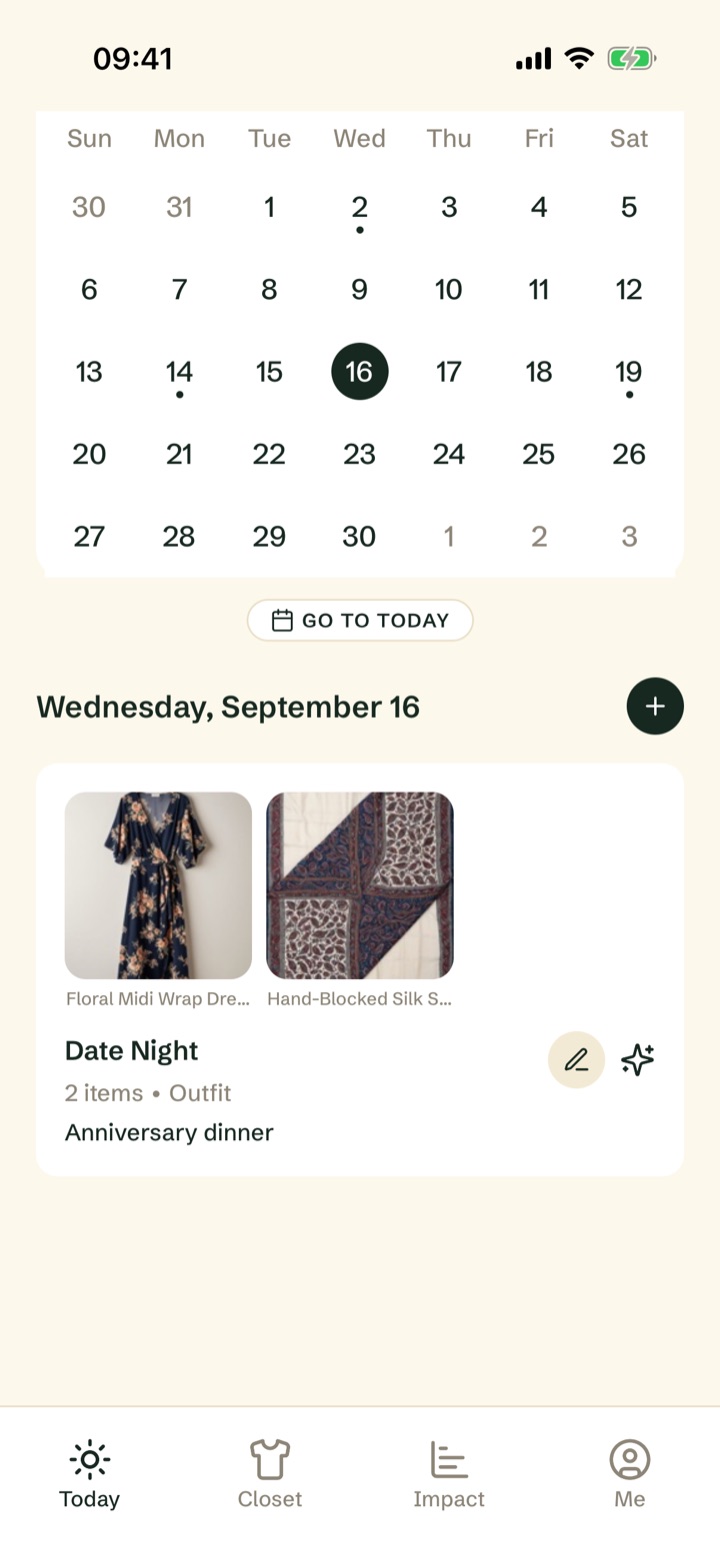
Scroll to the calendar at the bottom of Today. Pick a date, tap +, and attach an outfit — a client meeting, a wedding, a trip. When the day comes, your planned look is waiting at the top of Today.
Watch your impact grow
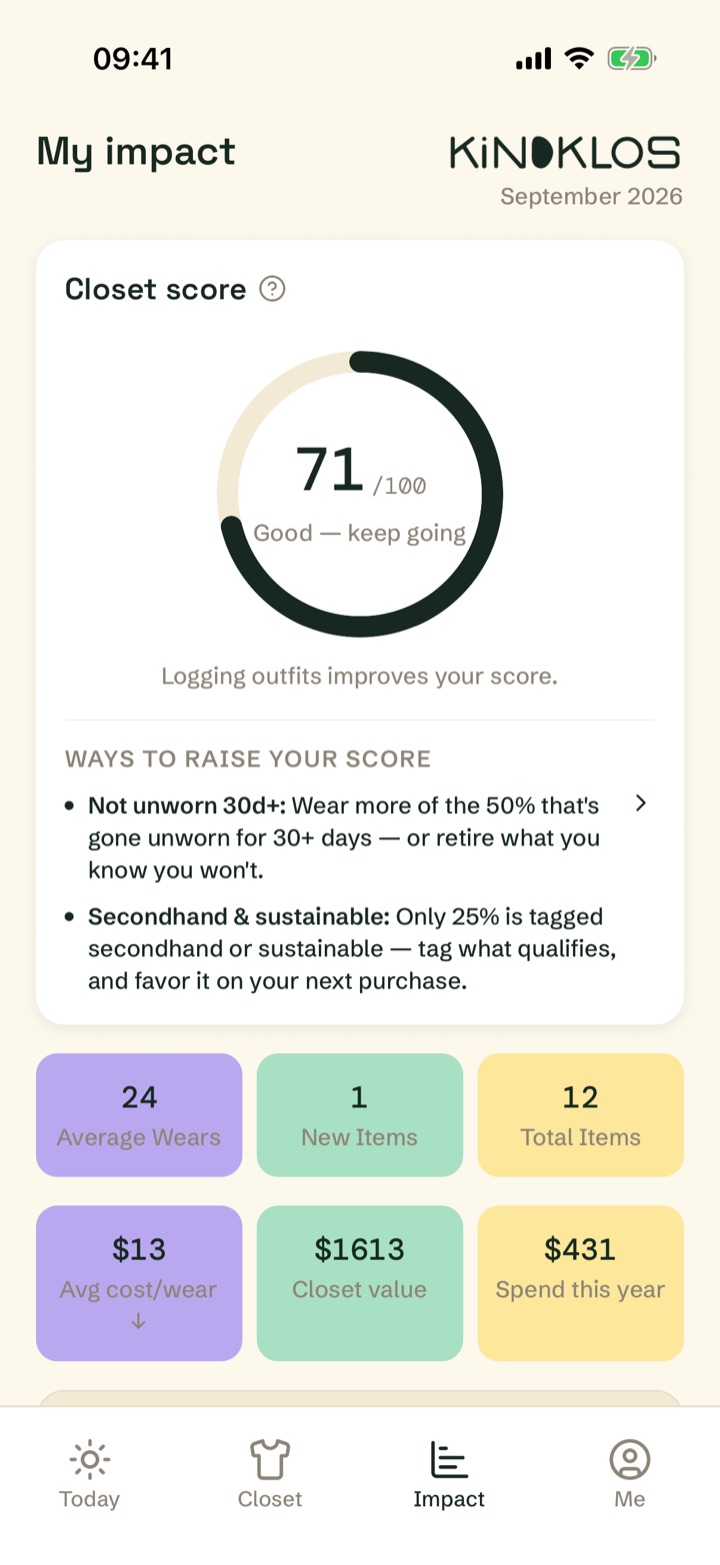
The Impact tab turns your wear history into insight: your closet score, average wears per item, pieces unworn for 30+ days, and your average cost per wear. Short reads in the Learn section explain the ideas behind the numbers.
Make it yours
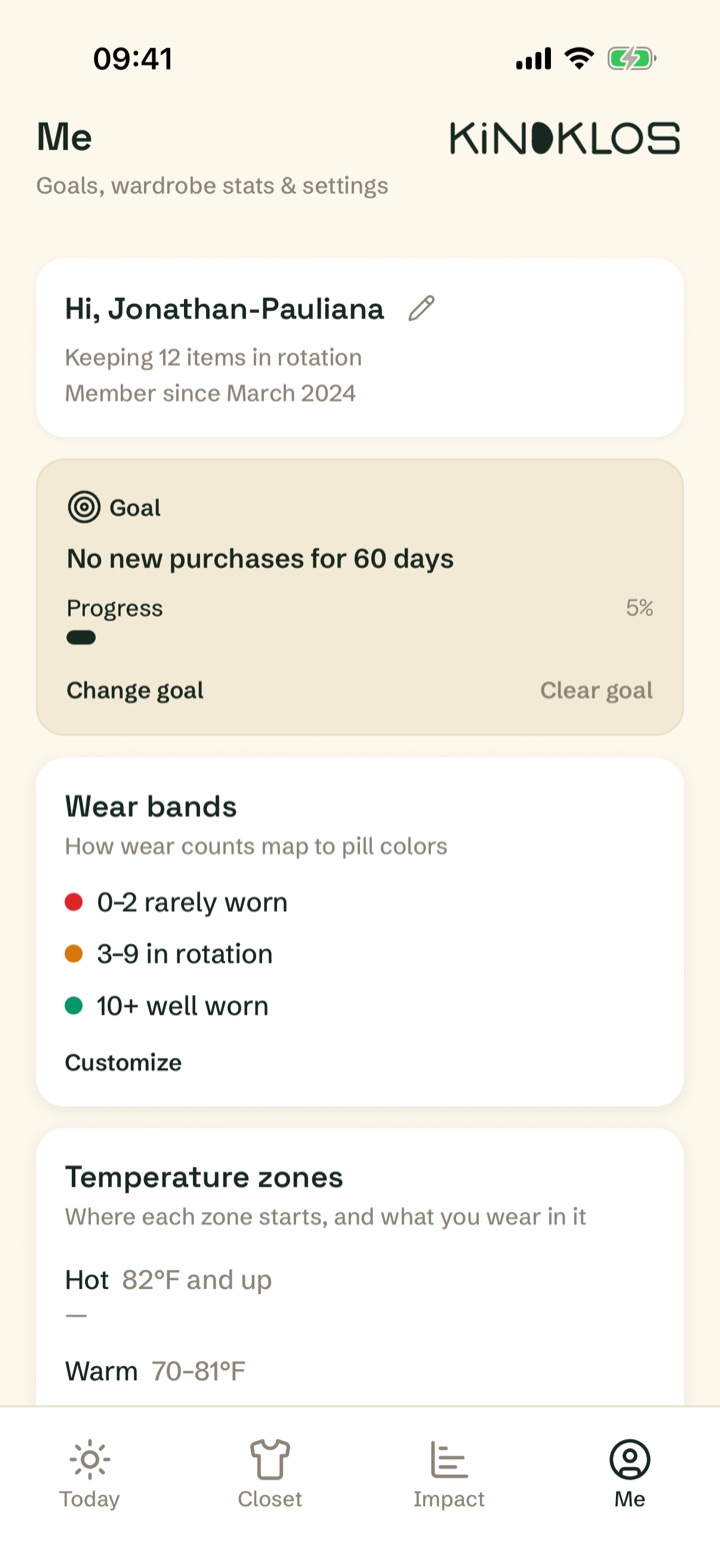
The Me tab is home to goals and settings. Set a goal like "no new purchases for 60 days", customise how wear counts map to colours, set your own temperature zones for weather-aware picks, and switch currency or theme. Your data is yours: export it any time as CSV spreadsheets, a photo ZIP, or a PDF inventory.
Everything lives on your device — no account, no cloud. Export a backup whenever you like, and restore it in one tap.
That's the whole loop
Add a few favourites, log one outfit a day, and let the numbers change how you shop. One purchase, everything included.
Coming soon to the App Store